Documentation · Ministries and placement
Where we need people
How many more people each ministry needs, who at your church could fill each place, and the open spots in your Planning Center plans, with the people free to take them.
For: Everyone on the team
See this screen in the demo church
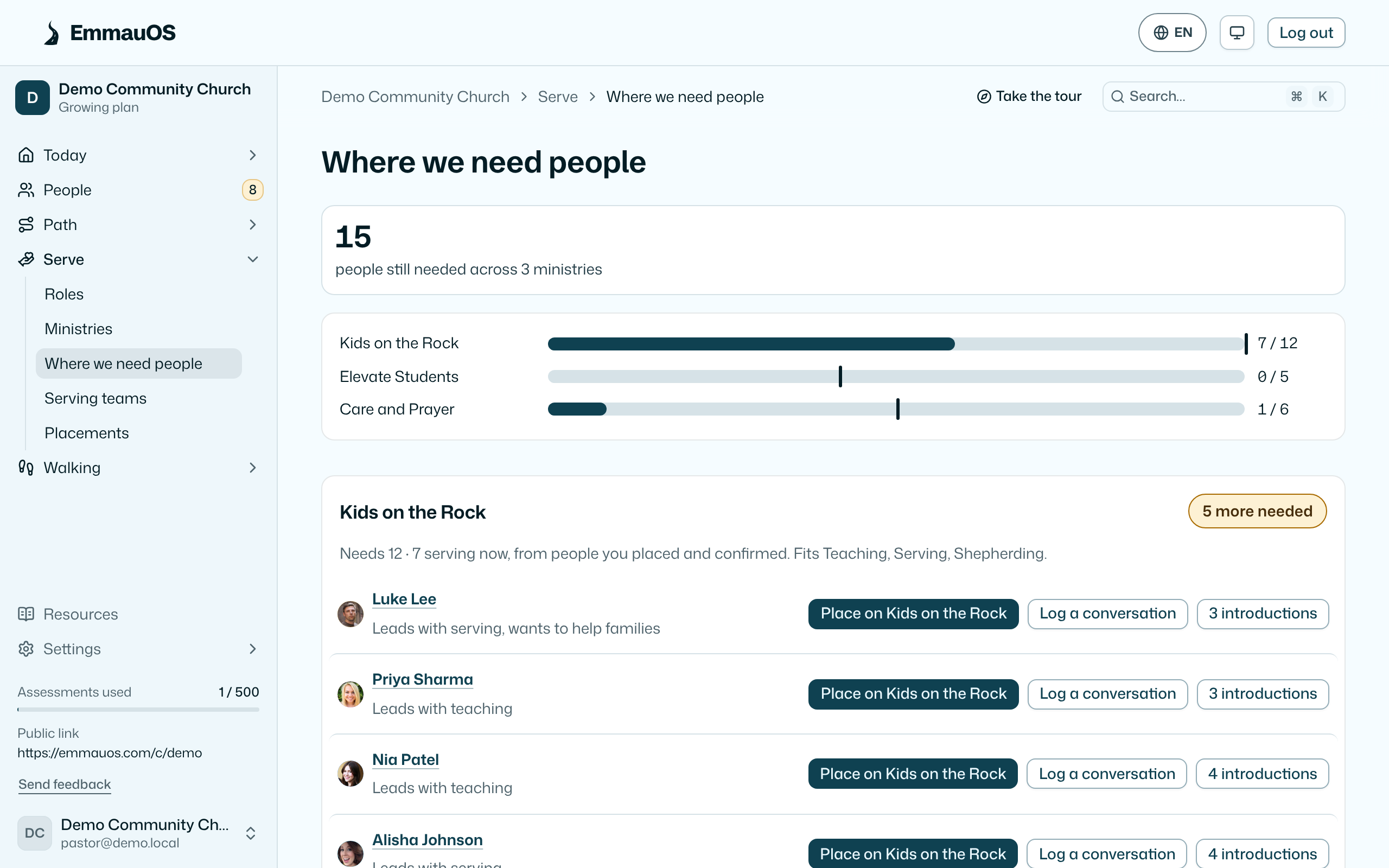
Reading it
The page opens with one number: how many people your ministries still need, across all of them. A bar for each ministry shows how many serve now against how many it needs.
Each ministry then gets a card:
- How many more it needs, or Need met. A ministry sets its number and the gifts that fit it on Ministries.
- Who serves now. This comes from the Planning Center roster when the ministry is linked to a team. Otherwise it counts the people you placed who confirmed they're serving.
- Who could serve. These are people who lead with a gift the ministry fits, shared their result with the pastoral team, have time to give, and aren't held back for age. Each row has Place on the ministry, Log a conversation, and the introductions waiting for them.
Ministries that haven't said what they need are listed at the foot, with a link to add it.
Open spots in Planning Center
With Planning Center connected, From Planning Center shows each team's next 4 plans, with the positions still open and who has served in nearly every one of them.
Press Find someone on an open spot. The list starts with people on that team who are free that day, with whoever has served least lately at the top. After them come people in EmmauOS who lead with a gift the team needs and are linked to a Planning Center profile, marked New to the team. EmmauOS leaves out anyone who is blocked out that day, already on the plan, or marked unavailable for the position. It also leaves out anyone serving nearly every week, so the load spreads.
Press Pencil in and confirm. EmmauOS adds them to the plan as unconfirmed. Planning Center holds the scheduling email until a team leader sends it from the plan, so nobody hears anything until then. If Planning Center refuses the write for your account, the page links to the plan so you can do it there. Penciling in is off in the demo church, and every write is logged.
What counts
Someone with the gift who said their life doesn't allow serving right now isn't counted. Someone who didn't share their result isn't counted either. Retake the assessment, or change availability on the person's page, and the count moves.
Who sees what
Leaders and up see names and can pencil people in. Viewers see counts only.
Try it on your own church
Your assessment link works the minute you sign up. The first 50 people are free, and there is no card to enter.
This page as Markdown, for notes or an AI assistant.