Documentation · Ministries and placement
Ministries
The ministries of your church, what each one needs, who leads it, and the people EmmauOS thinks could serve there.
For: PastorAdminOwner
See this screen in the demo church
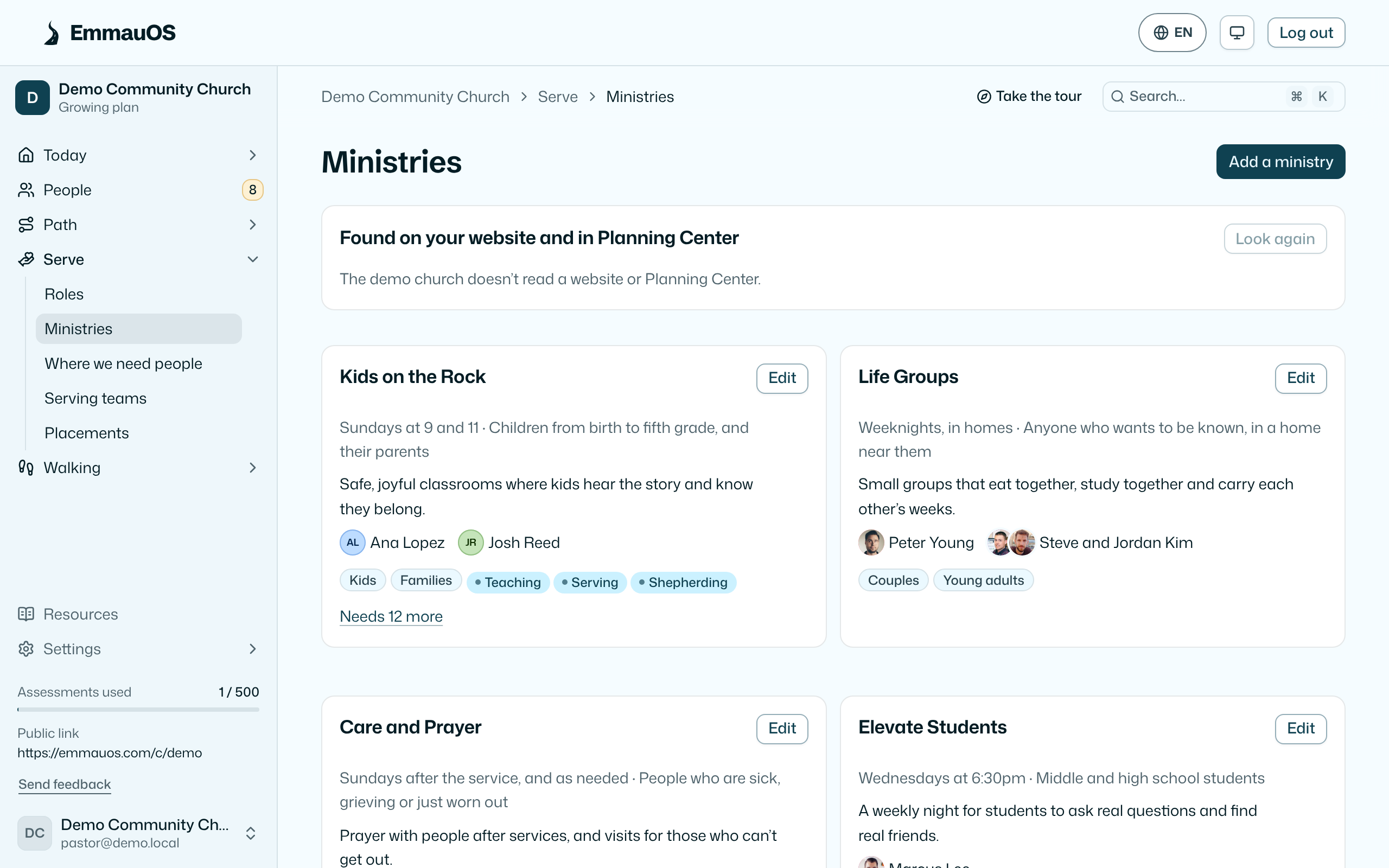
What a ministry is
A named area of your church's life with a short description, the gifts it needs chosen from the nine, who leads it from your team, and optionally a serving team it corresponds to in Planning Center. Children's ministry, the welcome team, worship, small groups, the food pantry.
Ministries are what results point to, what Where we need people counts, and what Introductions suggest.
Adding them
- By hand. Name, description, needed gifts, leader.
- From your website. When you give EmmauOS your website address in Settings, it reads your ministries page and suggests ministries with their descriptions, when they meet, who they are for and, when the page says so ("led by", "Director:"), who leads them. You accept or ignore each one.
- From Planning Center. Connected churches can turn a Planning Center team into a ministry in one click, and the match stays linked. The team's leaders and a group's leaders come along as names, so the card can say who to talk to; no email, phone or photo is read.
A ministry you typed in yourself is linked to its Planning Center team when the match is certain: after each team refresh, and when you save the ministry, EmmauOS looks for the one team whose name means the same ministry ("Children's Ministry" and "Kids Check-In Team"). If two teams fit (Worship, with Band and Vocals), or two of your ministries fit the same team, nothing is linked and you choose. A link already there is never replaced. The card then says Linked to Kids Check-In Team in Planning Center; Unlink undoes it, and EmmauOS doesn't link that team again.
One tagging covers both. When a ministry is linked to a team, and whenever you change the gifts or the people served on either one, the other side is filled in only where it has none; tags someone set are never replaced. If you clear a side, it stays clear until the other side changes. A team can ask for a fivefold gift; a ministry's list holds only the nine, so that one stays on the team. Nothing is written to Planning Center.
What each ministry shows
Open a ministry for the people EmmauOS thinks could serve there (those with a needed gift in their lead band, who shared their result, are free to serve and aren't held back for age), the people already placed, and a line about how well the ministry's needs match what has been arriving.
Leaders
Each card says who leads the ministry, with their face. Press Add a leader and search: the list draws from your people in EmmauOS and from Planning Center, so each leader is linked to their real person and shows their photo.
Two people who lead together are a couple. Press Add who they lead with on a leader, and EmmauOS suggests the other adults in their Planning Center household first. A couple is shown as one leader under one name, such as "Jeff and Karyn Smith". Press Rename or change their photo to call them something else ("Pastor Jeff and Karyn") or to upload a photo of the two of them. Without a couple photo, the card shows both faces together. Save the ministry before you add the couple photo.
A ministry's leader on your team is a member with the leader role or above. Leaders see the people suggested for their ministries, their introductions and placements, and nothing about ministries they don't lead. See Your ministries and Team and roles.
Who sees what
Pastors, admins and the owner add and edit ministries. Leaders see their own under My ministries.
Try it on your own church
Your assessment link works the minute you sign up. The first 50 people are free, and there is no card to enter.
This page as Markdown, for notes or an AI assistant.