Documentation · The assessment
Questions, wording and the builder
How the test is doing on your people, trying a new question without it counting, rewording, editing the result page's words, and bringing in questions of your own.
For: AdminOwner
See this screen in the demo church
Three screens under Assessment in the sidebar, for admins and the owner.
Questions: how the test is doing
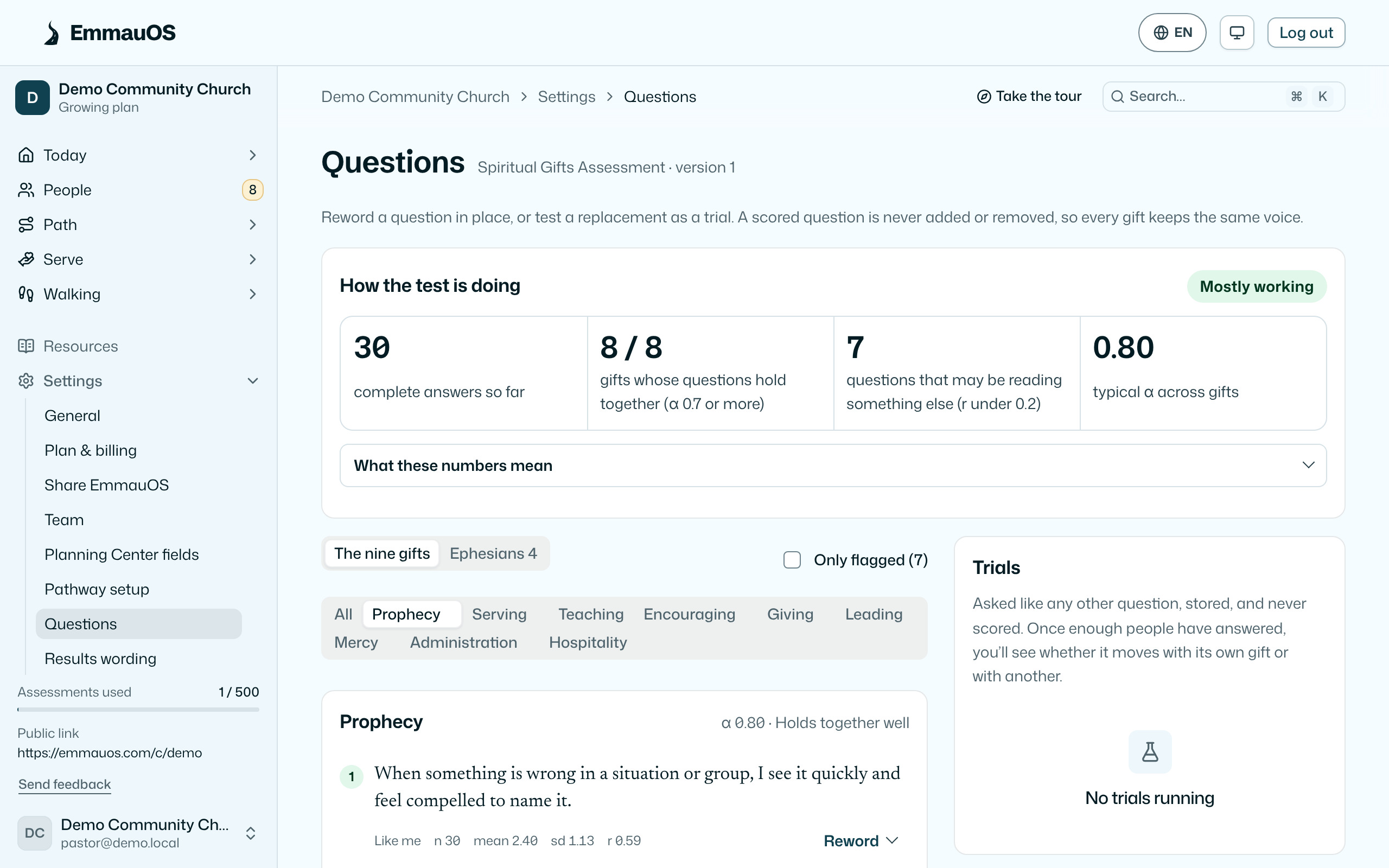
Pick a gift and see its 5 statements with, once enough people have answered, how each one is behaving: how many answered, the average, how spread out the answers are, and how well the statement moves with the rest of its gift. A statement everybody agrees with tells you nothing; a statement that doesn't move with its gift is measuring something else. The page flags those, and What these numbers mean explains every term in a sentence.
Reword a statement in place. New results use the new wording; past results keep the wording they were answered against.
Test a new question. Write a statement for a gift or an Ephesians 4 function and start a trial. People answer it like any other, but it doesn't count toward anyone's result until you decide. When the trial has enough answers to judge, Swap in replaces an existing statement with it; the old one retires. You can also retire a trial that didn't work.
Results wording
Every phrase on the result page can be yours: what each gift is, what it looks like in a person, and for each pair of gifts the tension that pair tends to carry. Pick an item, write, save. Use ours restores the original. Members see the change the next time a result is opened; nothing is rescored.
Assessment library
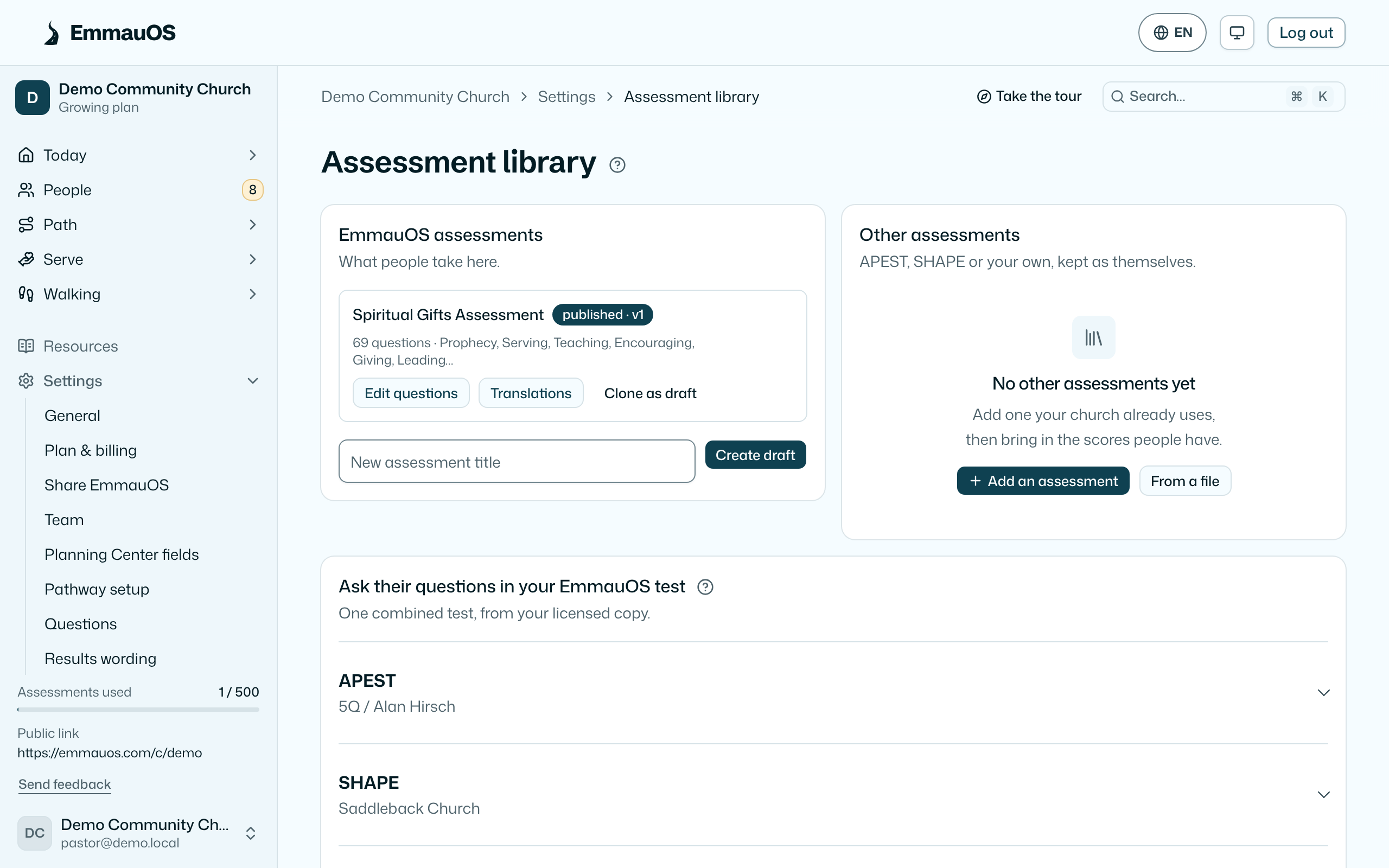
Settings → Assessment library is the one home for the assessments themselves. People and their results move on Import & export.
EmmauOS assessments
For a church that already has questions it trusts, like a homegrown inventory, on the Growing plan:
- Create a new assessment as a draft, or Clone as draft from the one you have, and edit its questions, scales and weights.
- Import questions inside a draft as CSV with the header
scale,prompt,type,weight,trial, or EmmauOS JSON{"items":[{"scale":"Mercy","prompt":"...","type":"agree","weight":1,"trial":false}]}. Trial questions are asked but never scored until you promote them. - Publishing creates a new version. Results already taken keep the questions they were answered against, forever.
The default assessment stays available; the builder exists so that a church with a tradition of its own isn't forced to abandon it.
Other assessments
Many churches already use APEST (the 5Q test), SHAPE, or a survey of their own. Other assessments keeps each one as itself, beside EmmauOS's:
- Add one and start from APEST (its five functions are filled in), SHAPE, a gifts inventory, or your own. Name its dimensions (the functions or gifts it scores) in the order it lists them, and its score range if it has one.
- Questions are optional. EmmauOS doesn't include any publisher's questions. If your church has a licensed copy you may paste its questions to keep them with the assessment, and you check that your church may use them; who checked and when are kept and in the audit log. With questions and a scoring rule, people can take it here.
- Scores people already have go in on Import & export. They are stored against that assessment, not turned into EmmauOS gifts, and each person's page shows them under Gifts as the assessment reports them, every dimension in its own order.
- Export definition downloads it as a file; From a file brings one in, from another church or written by an AI agent. Saving the same file twice updates one assessment.
- Archive hides it from imports. Scores already on file stay on people's pages. A dimension people have scores on can't be removed.
Ask their questions in your EmmauOS test
If you'd rather have one combined test that people take here, Ask their questions in your EmmauOS test makes a draft from your current test with APEST, SHAPE or inventory questions from your licensed copy:
- Paste the questions one a line, with the function or gift first (
Apostolic, I start new things). A spreadsheet's two columns pasted straight in work too. - Instead of ours swaps only that part: APEST replaces the Ephesians 4 section, SHAPE or an inventory replaces the gifts section. Alongside ours keeps both.
- Preview shows how many questions land on each function or gift, and anything it couldn't place. Common names are understood: pastor and shepherd are Shepherding, exhortation is Encouraging, helps is Serving, leadership is Leading.
- APEST needs a question for all five functions. You check that your church may use these questions.
- Publishing the draft makes it your church's live test. Results already taken keep their questions.
Try it on the demo church: the Assessment library is where assessments are built, added or brought in from a file.
Try it on your own church
Your assessment link works the minute you sign up. The first 50 people are free, and there is no card to enter.
This page as Markdown, for notes or an AI assistant.