Documentation · Integrations and agents
Planning Center
Connect once, map your fields, and every result writes its band names to the person's profile, pulls teams, and checks whether placements actually got scheduled.
For: AdminOwner
See this screen in the demo church
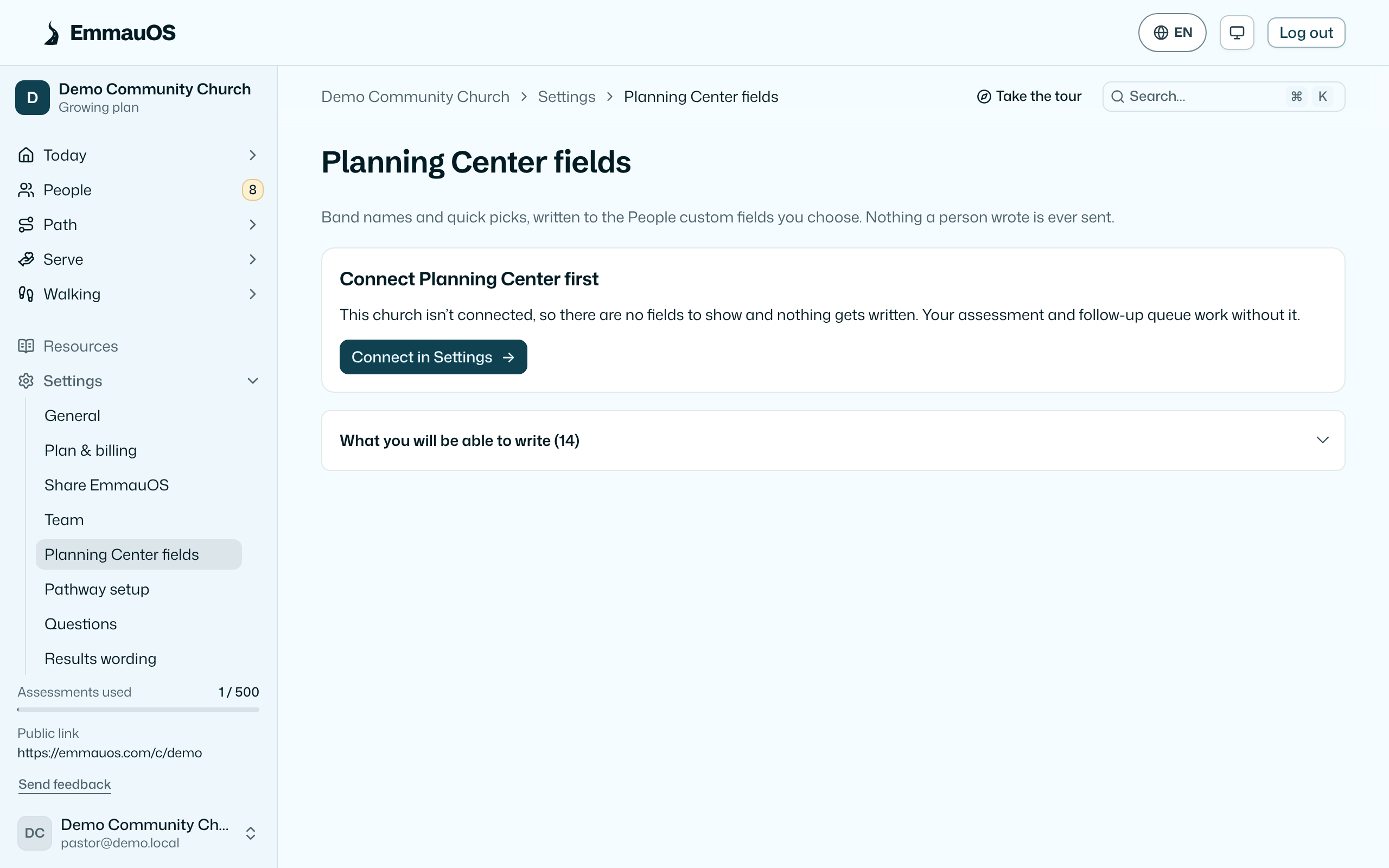
Connecting
Settings → Planning Center. Either sign in with your Planning Center account (recommended) or paste an App ID and secret from Planning Center's developer page. Sign-in asks for People, Groups, Services, Check-Ins, Calendar, Registrations, and Giving. Only the owner and admins can connect or disconnect. The demo church has no connection and says so. A church that connected before a scope was added has to sign in again; refreshing the token does not add it.
The field map
EmmauOS writes to custom fields on a person's Planning Center profile, which you choose or create here: typically one for the lead band ("Mercy, Hospitality"), one for the Ephesians 4 leaning, and one for the date taken. Set them up for me creates sensible fields in a EmmauOS tab on the profile. Nothing is written until a map exists.
You can also choose a workflow here: the first time someone's result is written, EmmauOS opens one card for them in it. See Follow up through Planning Center.
What is written: band names and the leaning as short text, and the date. Never written: scores, anything a person typed, confirmations, Spirit-gifts answers, or anything about a person who didn't share their result with the pastoral team or who may be under 18. A church can also require that people check a separate box agreeing to Planning Center before anything is written (Settings).
Matching people
A result is matched to a Planning Center person by email, then by name. When there is no confident match, EmmauOS doesn't guess: the result waits on the person's page with a choose the person card, where you pick or say "nobody". The never sent list on this page shows every result still waiting, so nothing slips.
When EmmauOS looks someone up to follow a placement, or to see whether a new result belongs to someone already serving, and exactly one Planning Center profile has their exact email address, it remembers that link (the same rule the write-back uses), so they stay matched and their connections card fills in without a click. Several profiles on one address, or a near miss, is never linked: pick the person yourself on their page.
Teams and placements
Refresh teams pulls teams from Services and People into Serving teams, kept linked. When EmmauOS looks for your ministries, it also reads who leads each matching team and group, as names only (never rosters, emails, phones or photos), so each ministry card can say who to talk to. A ministry with the same name as exactly one team is linked to it for you (Ministries says how, and how to undo it). Placing someone in a linked ministry can add them to that team. A month later the did it take check-in looks at whether they were actually scheduled and says so.
Roles
Roles read who holds them from what EmmauOS already reads here: who leads a group, who is on a Services team, and who holds a position. When Planning Center changes, the holders change, at the next nightly read or right away with the webhook. On Large, a role can also ask for a Planning Center list or workflow, and EmmauOS can write who is ready for which role back into a EmmauOS Roles tab. See Planning Center lists and workflows. A pastors-only role never leaves EmmauOS.
Generosity, as a church
Giving is one input to the Overview comparison pastors, admins, and owners see. The question is whether people who lead with Giving are a larger share of the giving than of the linked people. The window is the last six calendar months, including this month, in the church timezone. Each share is a whole-number percentage, and a half rounds up. The same means those two whole numbers match. A share is withheld when fewer than three people are on either side. If Giving was not granted, or the history has not finished, the card says unknown. It never says none or zero in that case. Amounts stay in the church total and are never shown on a person, a queue row, or an export. A church that connected before Giving was requested has to sign in again. Refreshing the token does not add the scope. Planning Center lets EmmauOS read only what the person who connected can see, so that person needs Administrator or Bookkeeper access in Giving. If they don't have it, EmmauOS says so and asks for someone who does to reconnect.
The same comparison, for any gift and for group leaders, serving teams and check-ins, can be asked in Ask AI. It answers in shares under the same rules, and says when an admin has to sign in again to approve Giving or Groups.
Who is connected
For everyone linked to a Planning Center profile, EmmauOS keeps a copy of what Planning Center says about them (groups, teams and positions, household, check-ins and a few profile facts) so the Overview can say who is in a group and on a team, and the introductions can lean on it. That copy is re-read every night, read-only, oldest first: up to 300 people per church a night, so a large church catches up over a few nights. Opening a person's record also refreshes theirs if it is more than 15 minutes old, and Refresh from Planning Center, at the foot of the Overview's Are they connected? card (pastors and up), reads giving history and the next ten people right away. Ask AI reads what an answer needs on the spot, and anyone whose groups couldn't be read is tried again within minutes, not the next night. Only people already linked are read; nobody is matched by name. If Planning Center stops answering, EmmauOS keeps what it knew and tries again the next night. Only the town of each person's address is kept, never the street, so the group finder can suggest groups near them.
When something fails
A write that fails is retried and then listed here with the reason; a disconnected or expired connection is flagged on the Overview for admins. EmmauOS never deletes anything in Planning Center.
Try it on your own church
Your assessment link works the minute you sign up. The first 50 people are free, and there is no card to enter.
This page as Markdown, for notes or an AI assistant.