Documentation · People and follow-up
A person's page
Everything about one person on one page (their stage and next step, gifts, serving and connections) and each result's conversation guide, with the three things you can do next.
For: LeaderPastorAdminOwner
See this screen in the demo church
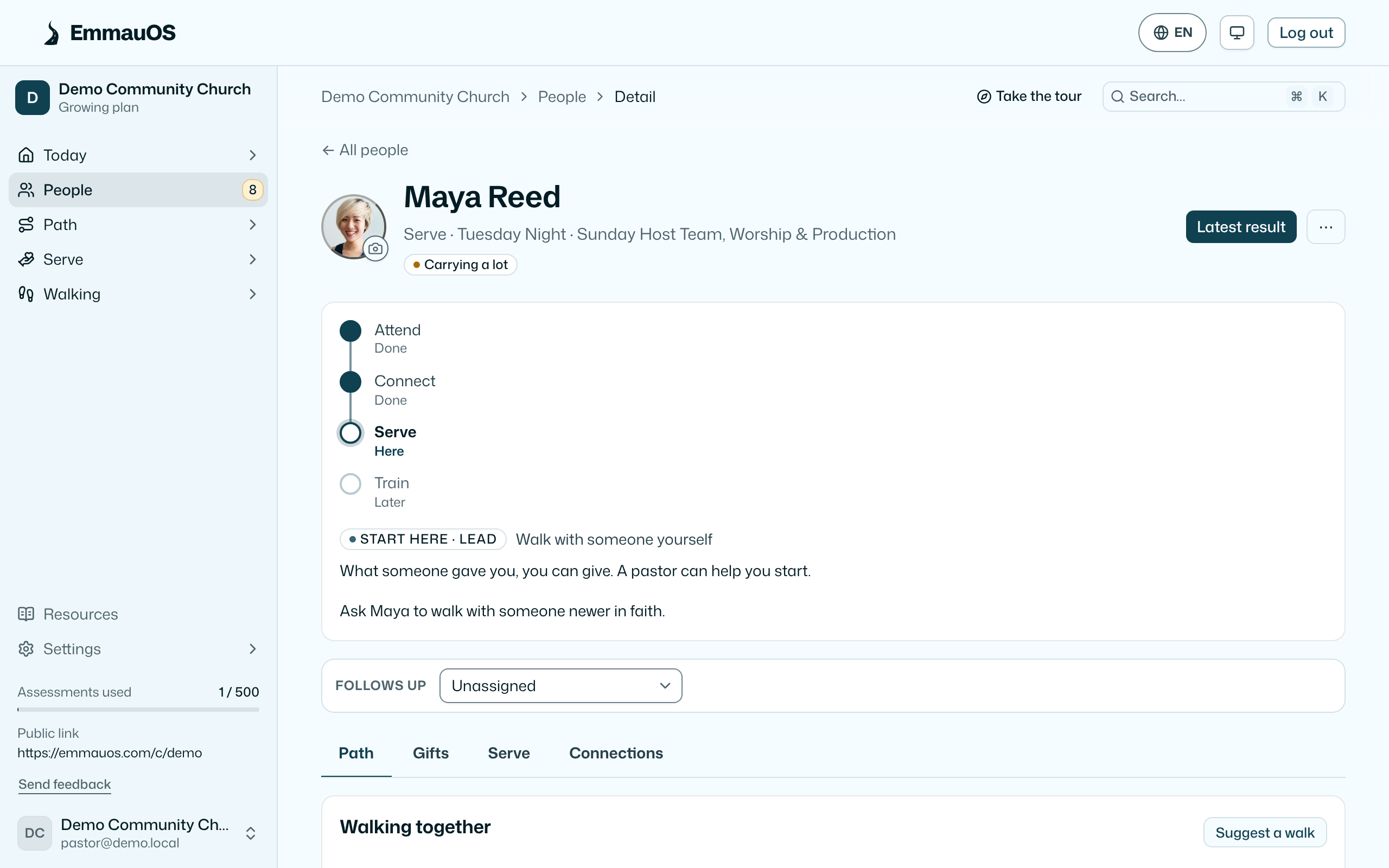
The person's page
Open anyone from People. At the top are their photo, their stage, their group and the teams they serve on. Latest result opens their newest result.
- Photo. Press the camera on their picture to upload and crop a photo. Your team sees it beside their name everywhere in EmmauOS. Without one, EmmauOS shows their Planning Center photo, then their initials.
- Stage and next step. Where they are on your pathway, with the one step to suggest next ("Ask Maya to walk with someone newer in faith").
- Follows up. Who on your team owns the next conversation.
Below that are four tabs:
- Path. Next steps on each track, who they walk with, and the growth timeline: every result, conversation, placement and step, written by EmmauOS as it happens. Add your own steps beside them.
- Gifts. Every result they have taken, how the mix has moved between them, other tests such as APEST or SHAPE, and anything self-reported, like Myers-Briggs.
- Serve. Roles they are growing toward, and the teams and ministries that fit them.
- Connections. Their groups, teams and the people they walk with.
A result
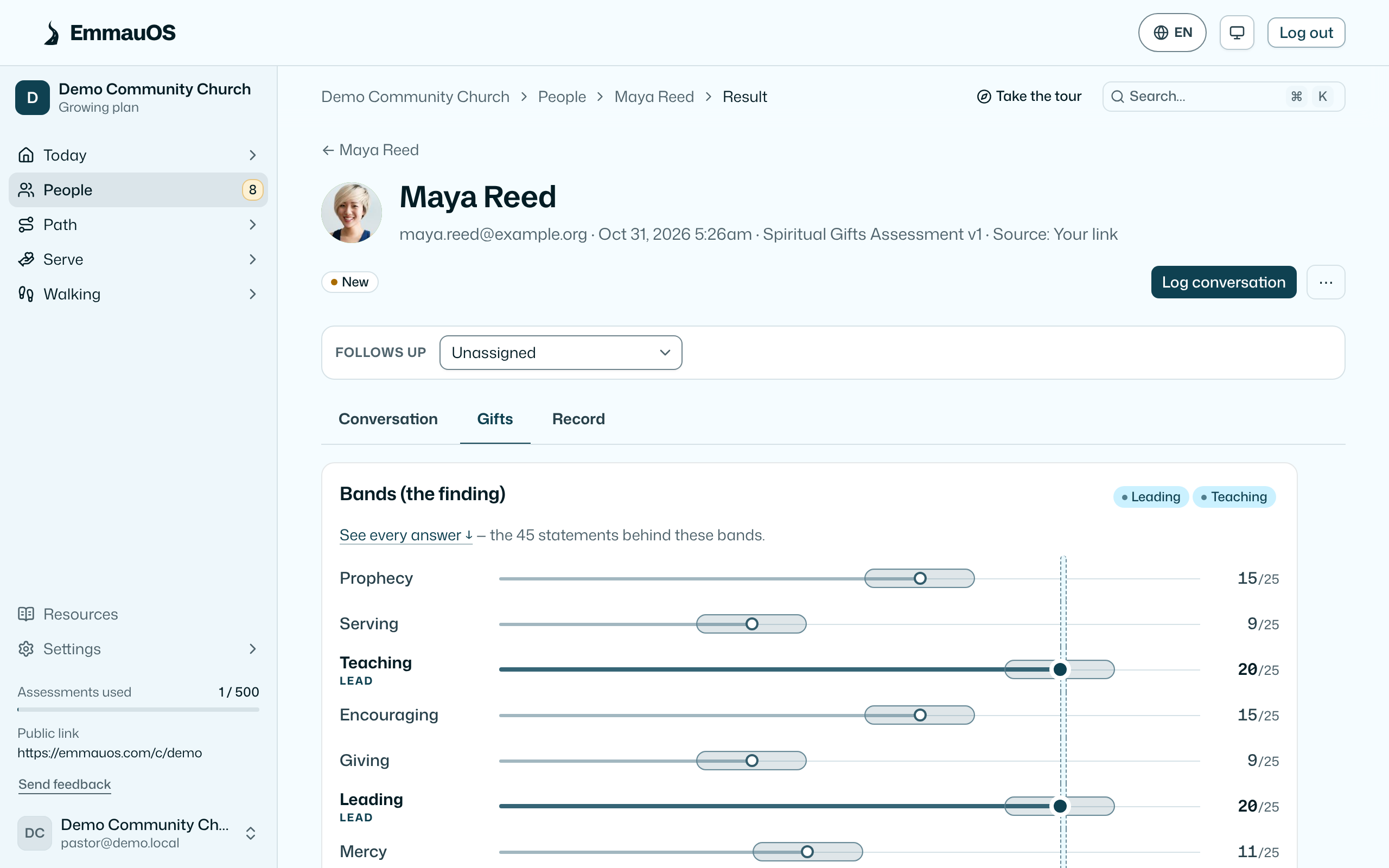
Each result has three tabs:
- Conversation. Questions to open with, drawn from their answers, and their season: when they are free and what they want to grow in. Then pastoral follow-up and resources that fit.
- Gifts. The bands, the gift at the edge, the Ephesians 4 leaning, and the chart with the margin drawn on every bar. Exact scores are here, for your team only. Below that: what they told you about serving, faith and growing. The optional something I have walked through answer sits here too, and it never leaves this page.
- Record. What they agreed to, what people who know them said, what was written to Planning Center, and their earlier attempts. If they are marked do-not-contact, the page says so and the write actions are hidden.
Three things you can do
- Mark walked through. You read it and maybe talked to them. Nothing more to do yet. The status becomes reviewed and they leave Needs a first look.
- Log a conversation. A dated note of what was said and what you agreed. The status becomes followed up. Notes are visible to leaders and up on this church's team, and to nobody else.
- Place them. Choose a ministry or team and the status becomes placed; a placement is created that comes back to you in a month to ask whether it took (Placements).
You can also choose who follows up: any leader or above on the team. They see the person on their Overview, and the digest lists them under Yours.
EmmauOS suggests someone, and never applies the suggestion by itself: for a person who asked to try a team, the one staff member who looks after the ministry linked to that team; otherwise the one staff member who looks after the ministry that fits them best (set on Team), or the leader named on that ministry's card. When you place someone on a ministry exactly one staff member looks after, and nobody follows up with them yet, that staff member becomes the one who follows up. You can change it or dismiss them like any other choice.
Resources that fit
If your church keeps a reading list, the page suggests the books, podcasts or courses tagged for this person's lead gifts, with the pastor's note on each. Suggesting one logs it, so you know later what you handed them.
Who sees what
Leaders see people in the ministries they lead and everyone who shared with the pastoral team; pastors and up see everyone. A person who may be under 18 is shown to leaders by id only and can't be acted on (What EmmauOS never does).
Try it on your own church
Your assessment link works the minute you sign up. The first 50 people are free, and there is no card to enter.
This page as Markdown, for notes or an AI assistant.